Note
Go to the end to download the full example code.
Automatic scheduling with custom IO times
It is possible to specify the IO times and provide those to the scheduling.
from b_asic.core_operations import ConstantMultiplication
from b_asic.fft_operations import R2Butterfly
from b_asic.list_schedulers import HybridScheduler
from b_asic.schedule import Schedule
from b_asic.scheduler import ALAPScheduler, ASAPScheduler
from b_asic.sfg_generators import radix_2_dif_fft

points = 8
sfg = radix_2_dif_fft(points=points)
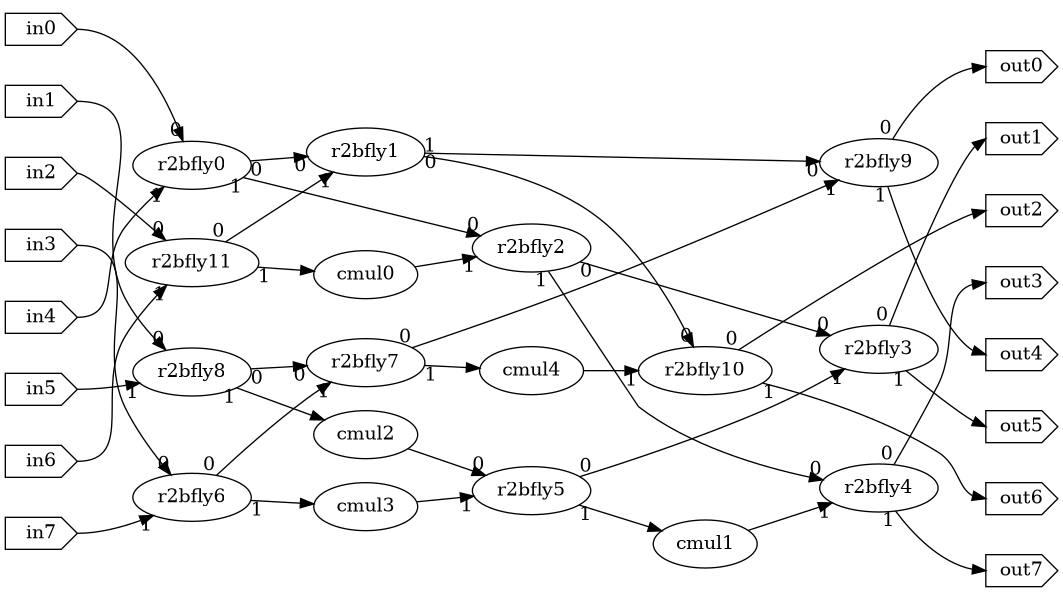
The SFG is:
sfg
Set latencies and execution times.
sfg.set_latency_of_type(R2Butterfly, 1)
sfg.set_latency_of_type(ConstantMultiplication, 3)
sfg.set_execution_time_of_type(R2Butterfly, 1)
sfg.set_execution_time_of_type(ConstantMultiplication, 1)
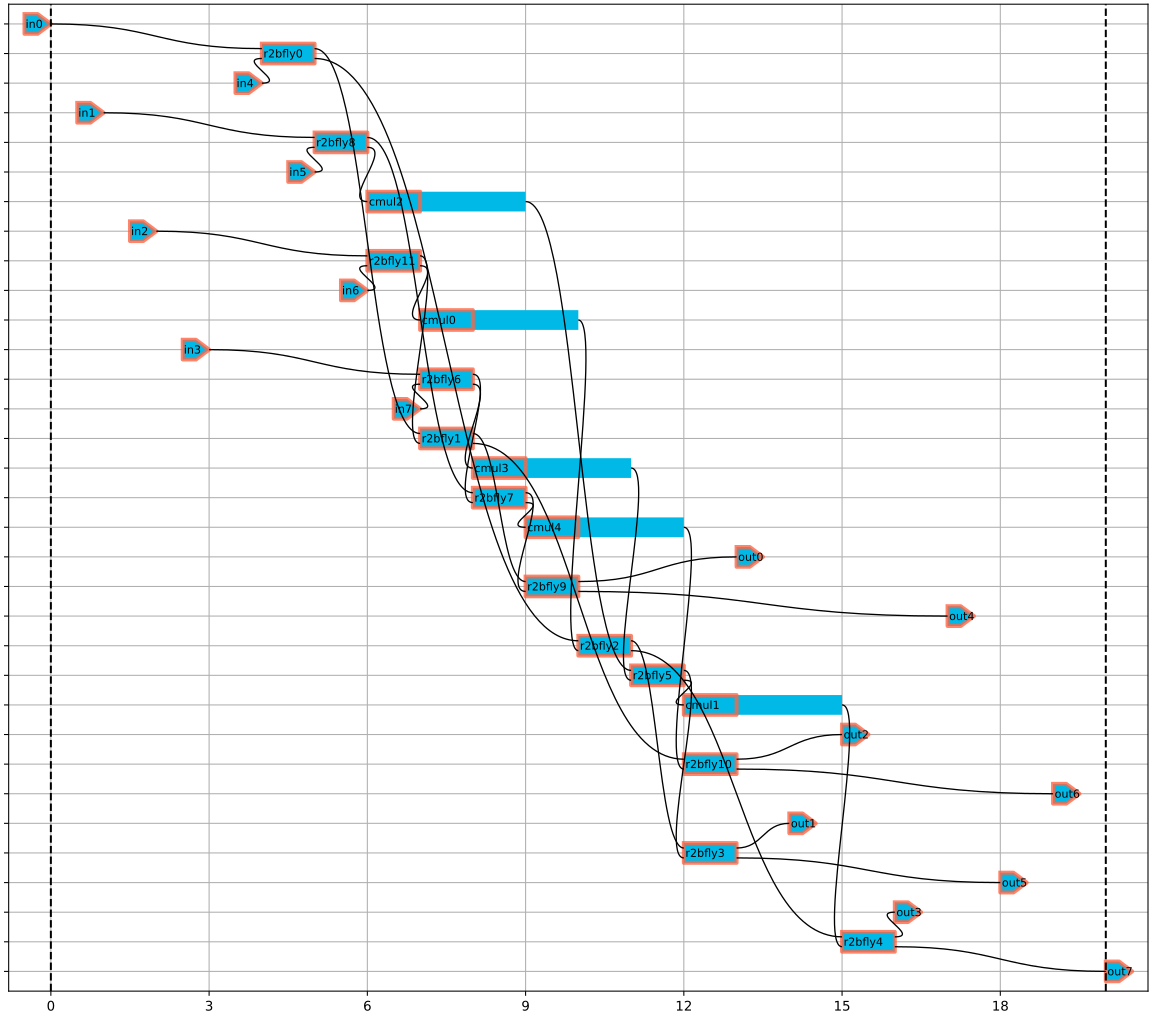
Generate an ASAP schedule for reference with custom IO times.
input_times = {f"in{i}": i for i in range(points)}
output_delta_times = {f"out{i}": i for i in range(points)}
schedule1 = Schedule(sfg, scheduler=ASAPScheduler(input_times, output_delta_times))
schedule1
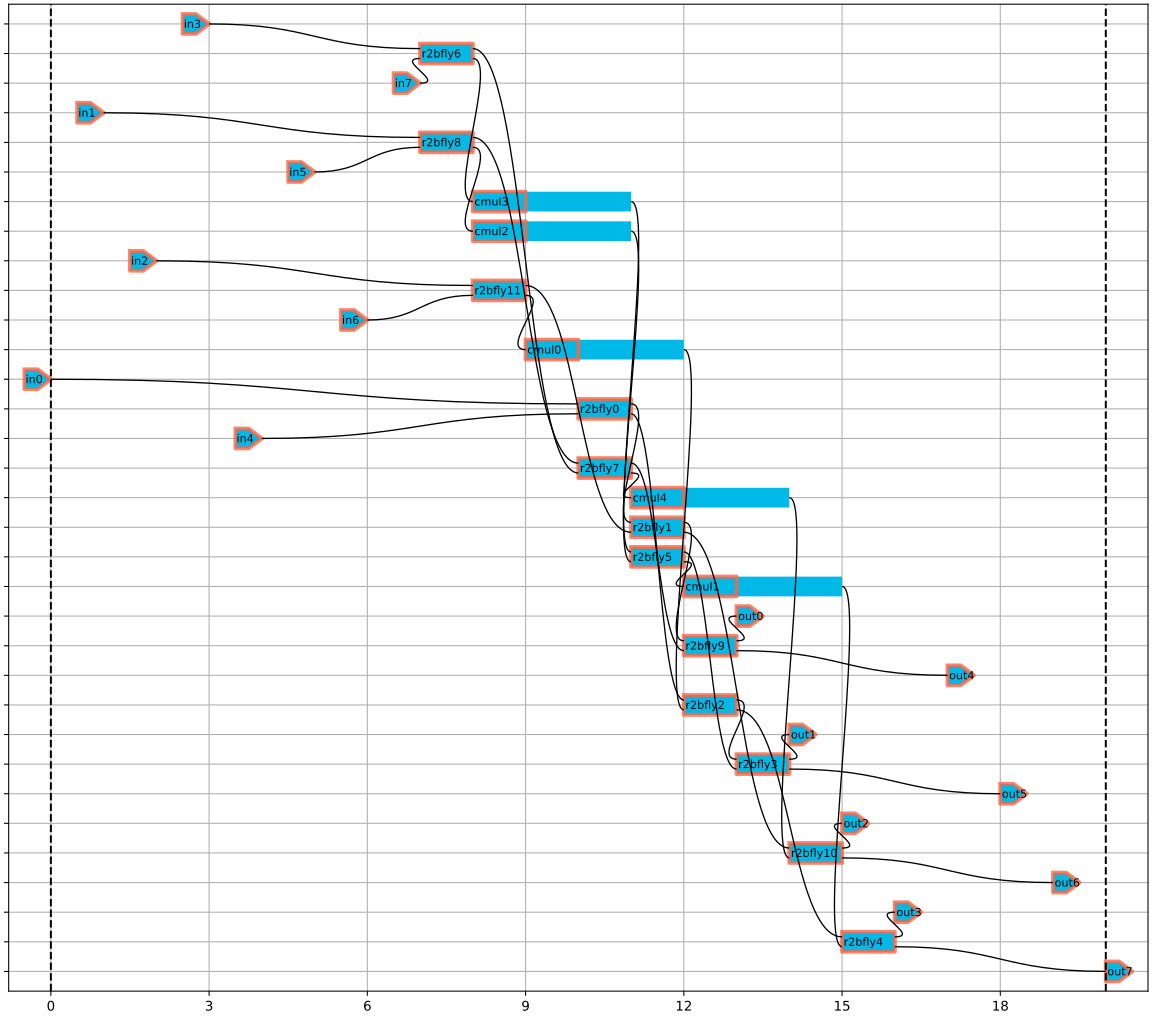
Generate an ALAP schedule for reference with custom IO times..
schedule_t = Schedule(sfg, scheduler=ALAPScheduler(input_times, output_delta_times))
schedule_t
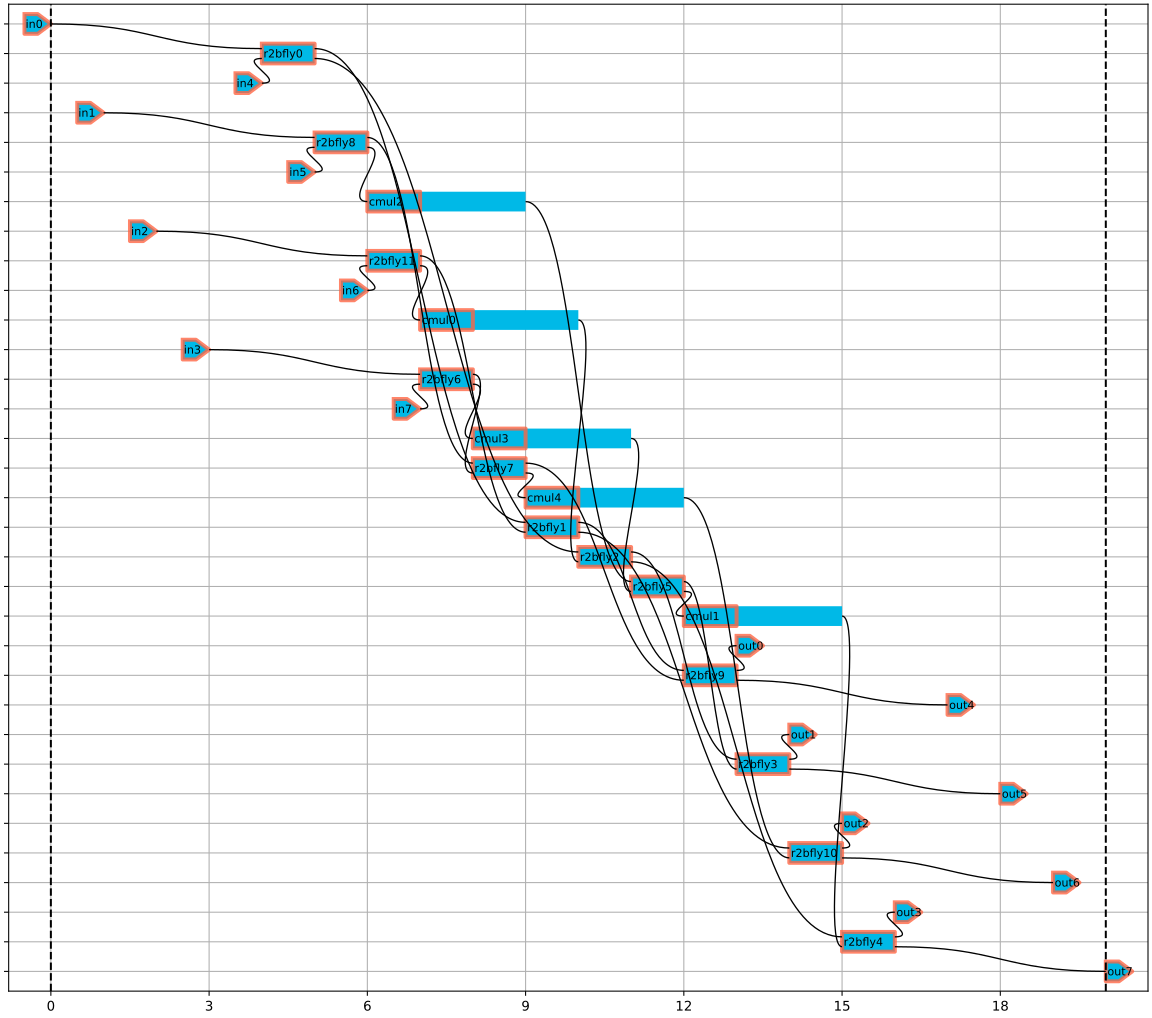
Generate a non-cyclic Schedule from HybridScheduler with custom IO times, one input and output per time unit and one butterfly/multiplication per time unit.
resources = {R2Butterfly.type_name(): 1, ConstantMultiplication.type_name(): 1}
schedule2 = Schedule(
    sfg,
    scheduler=HybridScheduler(
        resources,
        input_times=input_times,
        output_delta_times=output_delta_times,
    ),
)
schedule2
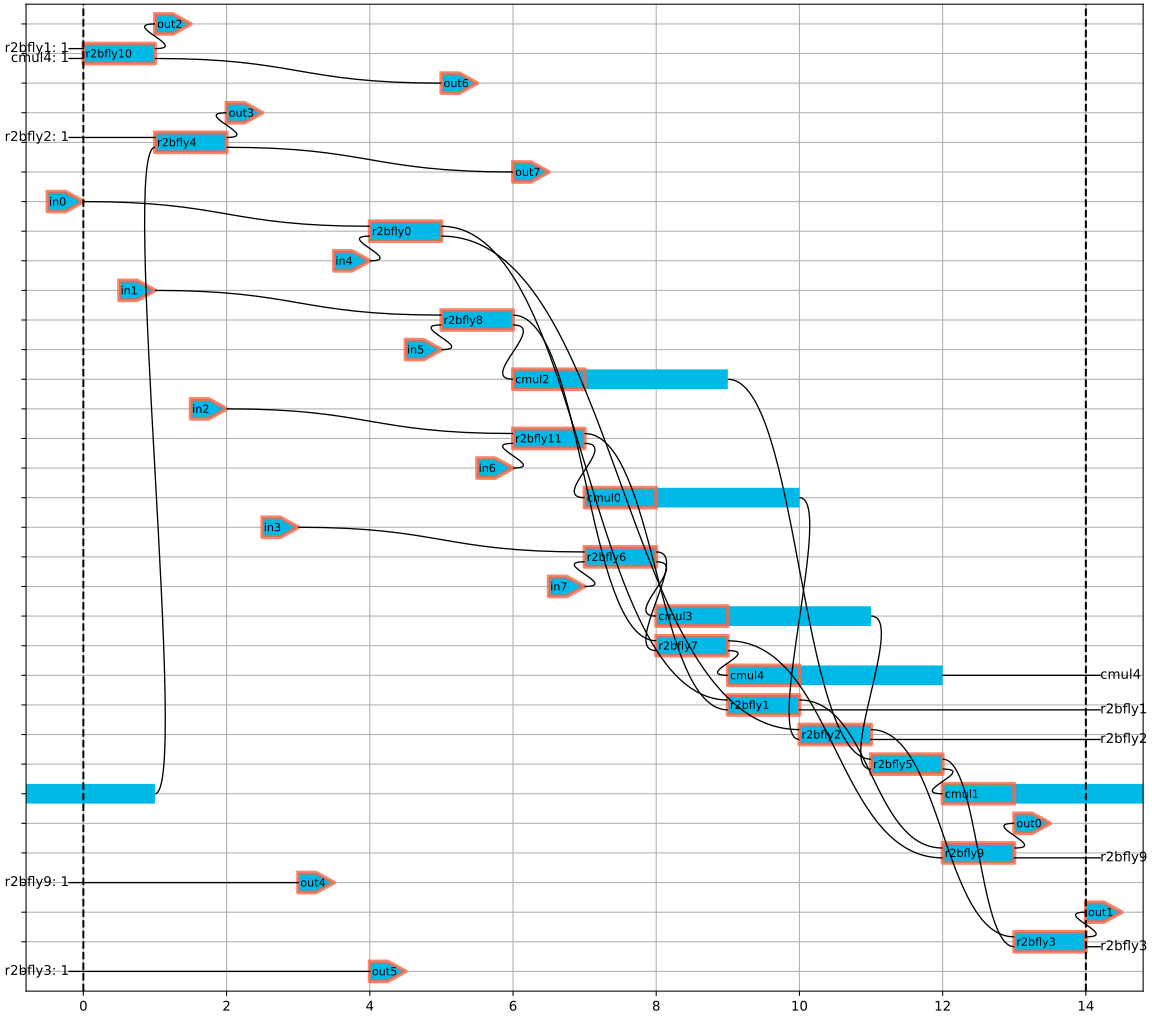
Generate a new Schedule with cyclic scheduling enabled.
schedule3 = Schedule(
    sfg,
    scheduler=HybridScheduler(
        resources,
        input_times=input_times,
        output_delta_times=output_delta_times,
    ),
    schedule_time=14,
    cyclic=True,
)
schedule3
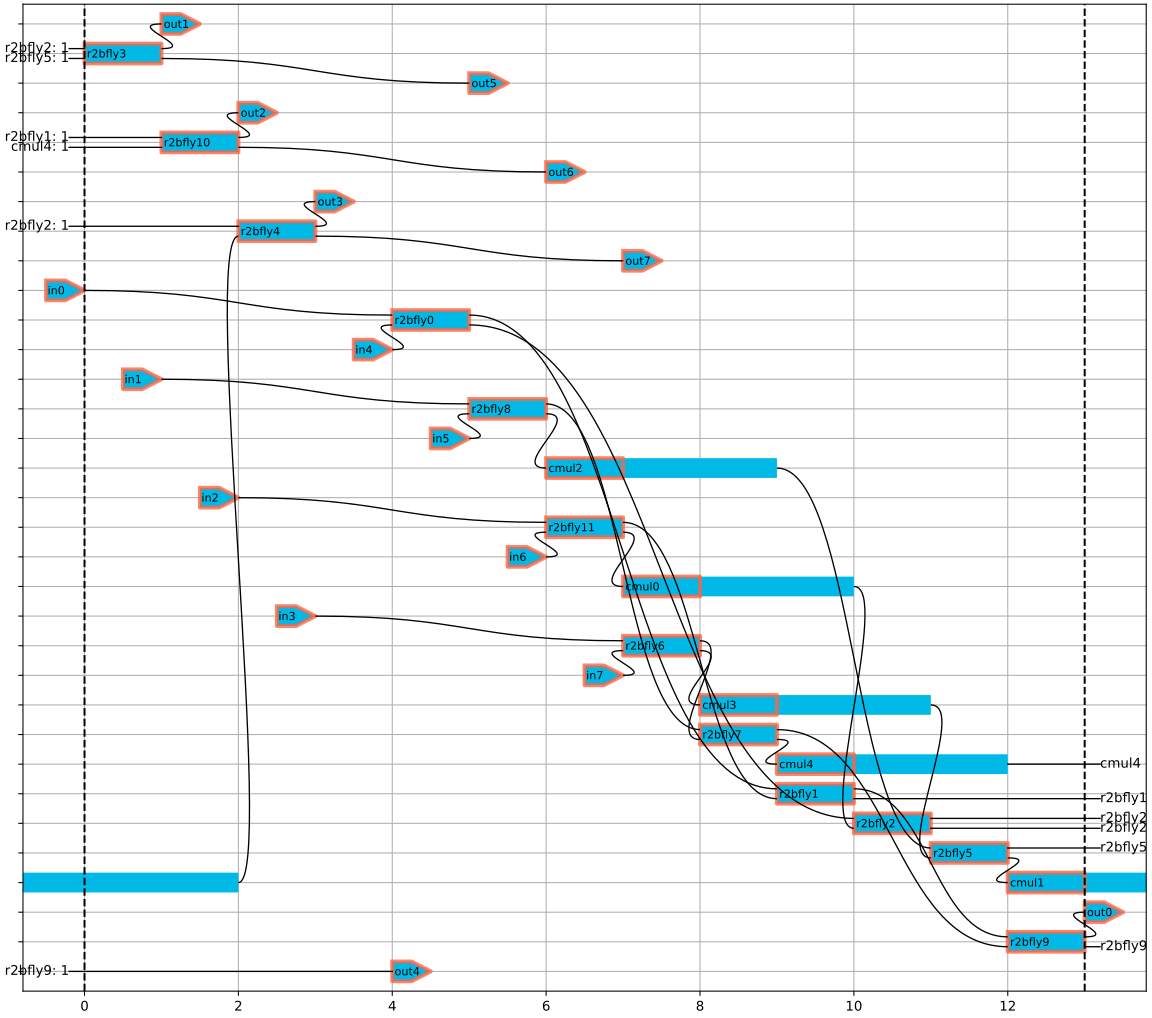
Generate a new Schedule with even less scheduling time.
schedule4 = Schedule(
    sfg,
    scheduler=HybridScheduler(
        resources,
        input_times=input_times,
        output_delta_times=output_delta_times,
    ),
    schedule_time=13,
    cyclic=True,
)
schedule4
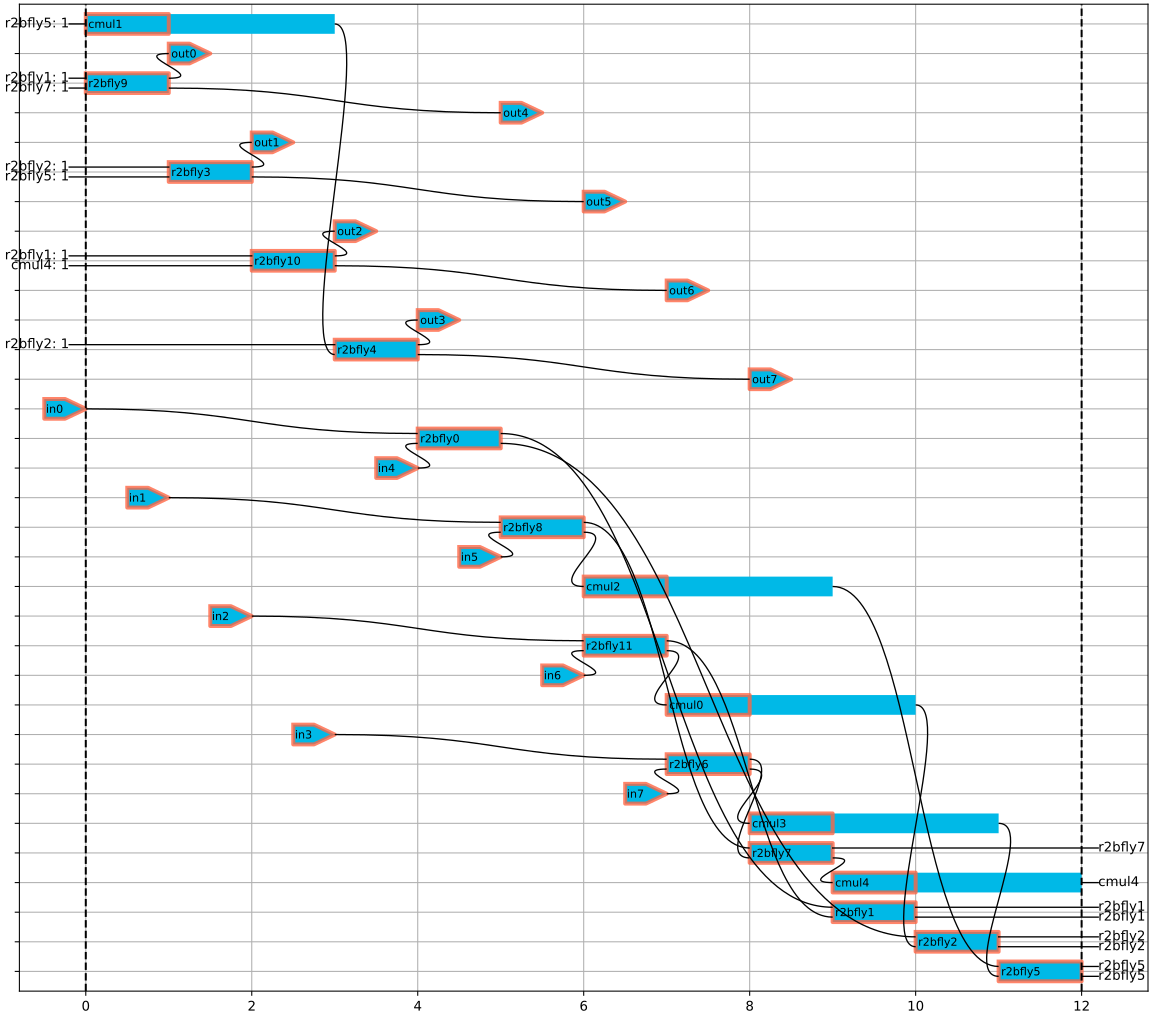
Try scheduling for 12 cycles, which gives full butterfly usage.
schedule5 = Schedule(
    sfg,
    scheduler=HybridScheduler(
        resources,
        input_times=input_times,
        output_delta_times=output_delta_times,
    ),
    schedule_time=12,
    cyclic=True,
)
schedule5
Total running time of the script: (0 minutes 1.917 seconds)